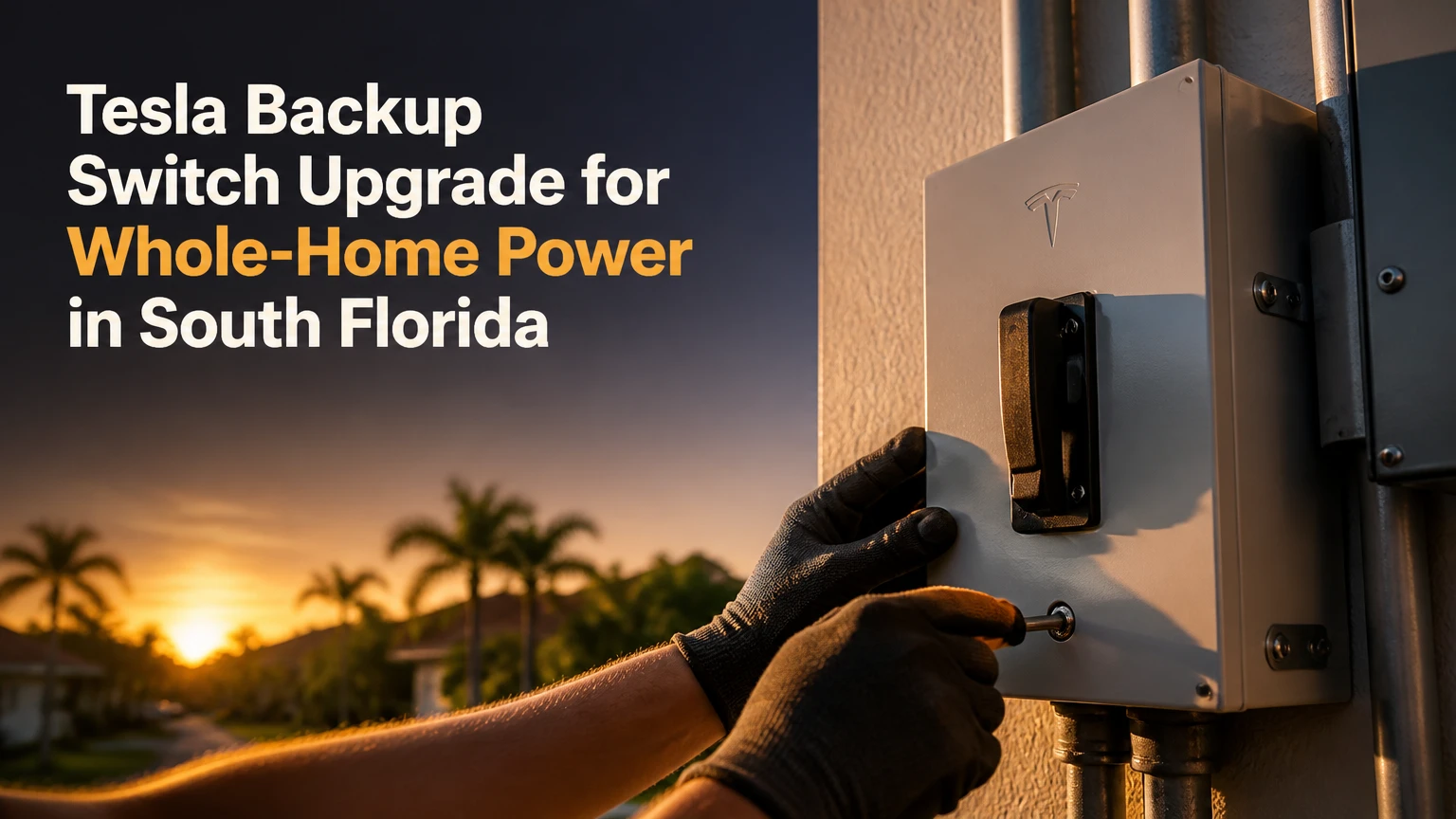
Upgrading to the Tesla Backup Switch for whole-home power in South Florida is practical for many homes with a compatible 120/240V split-phase service rated at 200A or less, but utility approval and electrical design determine feasibility. The meter-collar switch works with a Tesla Powerwall system to isolate the home from the grid during an outage, while FPL or another utility and the local building department control authorization.
Key Facts at a Glance
- The Tesla Backup Switch installs between the utility meter and the meter socket, rather than as a large wall-mounted gateway enclosure.
- Tesla lists the Backup Switch for residential service applications up to 200A and a 22kA short-circuit current rating, subject to the approved system design.
- The Backup Switch does not create additional battery energy. Powerwall capacity still determines how long the home can operate during an outage.
- Whole-home wiring does not guarantee whole-home operation. A Powerwall system may curtail or disconnect loads that exceed its configured output or current limits.
- FPL, Duke Energy, or another serving utility must approve the interconnection and metering arrangement before operation.
- South Florida installations require attention to wind exposure, outdoor enclosure ratings, salt corrosion, flood conditions, and local permit requirements.
What Is the Tesla Backup Switch?
The Tesla Backup Switch is a service-entrance automatic transfer switch in a compact meter-collar form factor. The utility meter connects to the front of the device, while the device connects to the home’s existing meter socket and service equipment. Tesla’s installation documentation describes the product as a “service entrance rated automatic transfer switch.”
The design can reduce the need for a separate Tesla Gateway 3 enclosure and extensive branch-circuit relocation. That advantage applies only when the meter socket, service rating, utility rules, fault-current conditions, and Powerwall design all support the configuration.
The published physical dimensions are approximately 6.9 x 8.1 x 2.9 inches, with a listed weight of about 2.8 pounds. These dimensions describe the switch itself, not the clearances, conduit, disconnects, Powerwall units, or working space required around the complete installation.
What the Backup Switch Does Not Do
The Tesla Backup Switch does not replace a Powerwall, increase the home’s service amperage, correct a damaged meter enclosure, or guarantee that every appliance will run indefinitely. It also does not eliminate the need for permits and utility coordination.
A meter collar is not a universal adapter. An installer must verify the socket’s ANSI configuration, jaw condition, ring or ringless arrangement, service conductors, grounding and bonding, and utility ownership boundaries before specifying the equipment.
How Does the Backup Switch Operate During an Outage?
During a utility outage, the Tesla Powerwall system detects abnormal grid conditions and commands the Tesla Backup Switch to open the utility connection. The home becomes an electrically isolated microgrid, and the Powerwall inverter supplies the backed-up service from stored energy and available solar generation.
The Backup Switch uses a low-voltage communication connection with the Powerwall system. Tesla documentation specifies an automatic transfer operation in under 20 milliseconds for the applicable system design. That timing is intended to keep interruption brief, but individual electronics, motor loads, inverters, and protection devices can respond differently.
The most important safety function is isolation. Once the grid connection opens, solar and battery energy cannot feed an energized utility line that workers believe is de-energized. The Powerwall then establishes voltage and frequency for the home’s internal electrical network.
Battery Power Is Different From Battery Energy
Power describes how much load the system can operate at one moment. Energy describes how long the battery can operate those loads. A central air conditioner may fit within the system’s instantaneous output after starting, yet still consume a large portion of stored energy over several hours.
A 4-ton compressor, electric water heater, pool pump, refrigerator, and cooking equipment can create a demanding outage profile. Load management, staged cooling, additional Powerwalls, and a protected reserve often matter more than the transfer switch itself.
Is the Backup Switch Suitable for Your South Florida Service?
The Backup Switch is generally considered only for a compatible residential service up to 200A, with 120/240V split-phase characteristics and a service configuration accepted by Tesla and the serving utility. A 400A service, unusual meter arrangement, high available fault current, or unsuitable socket usually points toward a Gateway-based or custom design.
A certified installer should inspect the following before ordering hardware:
- Main service rating and busbar rating.
- Meter socket type, condition, and utility ownership.
- Available fault current and equipment SCCR.
- Main disconnect location and service conductor routing.
- Air-conditioning compressor and heat-pump starting characteristics.
- Solar inverter, photovoltaic disconnect, and battery quantity.
- Grounding electrode and bonding arrangement.
- Outdoor wall, flood elevation, wind exposure, and conduit route.
The 200A figure is not a target load. It is the service boundary for the equipment. The home’s calculated demand, protective devices, and Powerwall output still govern whether whole-home backup operates acceptably.
| Design attribute | Tesla Backup Switch | Practical South Florida implication |
|---|---|---|
| Service voltage | 120/240V split phase | Typical single-family residential service |
| Maximum service class | Up to 200A | Not a solution for a 400A service |
| Short-circuit rating | 22kA | Installer must compare it with available fault current |
| Transfer operation | Under 20 milliseconds | Brief interruption remains possible for some equipment |
| Physical device size | About 6.9 x 8.1 x 2.9 inches | Does not include working clearances or conduit |
| Listed device weight | About 2.8 pounds | Structural support still applies to connected equipment |
| Communication method | Low-voltage CAN connection | Routing and shielding require installer compliance |
| Battery relationship | Powerwall system required | Switch alone cannot provide backup power |
How Do FPL and Local Inspectors Affect Approval?
The utility approves the connection to its metering system, while the local Authority Having Jurisdiction approves electrical and structural code compliance. Those are separate approvals, and passing one does not automatically produce the other.
FPL’s published interconnection materials require an approved application process for distributed energy systems and reserve utility control over metering requirements. Duke Energy Florida publishes its own interconnection procedures, so a design accepted in one service territory may require different documentation in another.
Miami-Dade and Broward properties can fall under High-Velocity Hurricane Zone requirements, where product approvals, attachment methods, and wind-resistance documentation may affect exterior equipment. The exact requirement depends on the municipality, equipment location, structure, and permit scope.
South Florida Approval Sequence
| Approval stage | Responsible party | Typical deliverable | Common delay |
|---|---|---|---|
| Site survey | Certified installer | Photos, service data, equipment layout | Inaccessible meter or unsafe enclosure |
| Electrical design | Installer or engineer | Load calculation and single-line diagram | Missing fault-current or conductor data |
| Utility filing | FPL, Duke, or local utility | Interconnection and metering application | Unapproved meter equipment arrangement |
| Building permit | City or county AHJ | Permit drawings and product data | Missing wind or mounting documents |
| Field inspection | Municipal inspector | Electrical and structural inspection record | Bonding, clearance, or labeling defect |
| Utility authorization | Serving utility | Meter release or Permission to Operate | Application mismatch or failed inspection |
| System commissioning | Certified installer | Tesla One configuration and verification | Firmware, communications, or reserve setting |
Do not purchase a meter-collar switch on the assumption that a contractor can install it immediately. The utility’s current equipment policy and field approval process control whether the device may occupy that metering position.
What Happens During Installation?
A straightforward Backup Switch installation often requires 2-4 hours of physical site work, but the complete project commonly takes 4-10 weeks when design, permit review, inspection, utility review, and commissioning are included. The utility outage during meter work is usually measured in hours, not weeks, although the serving utility controls the meter procedure.
Step 1: Complete the Site Survey and Load Calculation
Give the installer the electric bills, panel photographs, air-conditioner nameplate data, solar documents, and generator information. The installer should document the service rating, meter socket, main disconnect, grounding, available fault current, and major loads.
The calculation should consider realistic simultaneous demand, not merely the sum of every breaker handle. Compressor startup, electric resistance heat, pool equipment, electric ranges, tankless water heaters, and electric vehicle charging can materially change the design.
Success checkpoint: The proposed single-line diagram identifies the service, meter, Backup Switch, Powerwall units, solar equipment, disconnects, grounding, and backed-up loads.
Common mistake: Treating a 200A main breaker as proof that every 200A load combination is acceptable.
Step 2: Submit Utility and Permit Applications
The installer submits the interconnection package to the serving utility and files the electrical permit with the applicable city or county. The package typically includes equipment specifications, a site plan, a one-line diagram, load calculations, product approval information, and photographs or mounting details where required.
Success checkpoint: The utility application and permit drawings show the same equipment model, service rating, battery count, panel configuration, and address.
Common mistake: Applying for a solar change without accurately showing the battery transfer equipment and metering interface.
Step 3: Coordinate the Meter Outage
The utility or an authorized party removes the glass meter so the installer can work safely on the socket. The home loses grid power during this operation, and sensitive electronics should be shut down before the outage begins.
Success checkpoint: The installer confirms that the meter is de-energized under the utility’s procedure before inserting or wiring the switch.
Common mistake: Allowing an electrician to break a utility seal or alter utility-owned equipment without the required authorization.
Step 4: Install and Wire the Backup Switch
The installer inserts the approved Backup Switch into the meter socket, reconnects the utility meter to the switch, installs the communication cable to the Powerwall system, and completes grounding, bonding, conduit, labeling, and weather sealing.
Exterior components need suitable enclosure protection and corrosion-resistant fittings. Coastal salt exposure can attack poorly sealed raceways, fasteners, and terminals even when the equipment is technically outdoors-rated.
Success checkpoint: The meter is secure, the service conductors are torqued to manufacturer specifications, communication status is normal, and all covers and seals are complete.
Common mistake: Routing low-voltage communication wiring beside power conductors without following Tesla’s separation and installation requirements.
Step 5: Pass Inspection and Commission the System
The municipal inspector checks workmanship, clearances, grounding, labeling, equipment mounting, and permit documents. After approval, the utility completes its release process, and the certified installer commissions the system through Tesla’s installer tools.
Success checkpoint: The Tesla One application reports normal system status, the installer performs a controlled backup test, and the homeowner receives documented operating instructions.
Common mistake: Testing backup operation before utility authorization or changing installer-only settings without design review.
How Much Does the Upgrade Cost?
A typical turnkey South Florida project with one Powerwall 3 and a Backup Switch may fall around $11,500-$14,500, while a Gateway 3 project may reach approximately $14,000-$18,000 or more. These are planning ranges, not published prices, and local labor, roof or wall work, panel remediation, permit fees, taxes, battery quantity, and utility requirements can move the final quote substantially.
| Cost component | Backup Switch typical range | Gateway 3 typical range | Main price driver |
|---|---|---|---|
| Backup hardware | $400-$500 | $1,200-$1,800 | Equipment channel and availability |
| One Powerwall 3 | $8,000-$11,000 installed component range | $8,000-$11,000 installed component range | Battery, labor, and market |
| Electrical labor | $1,000-$3,000 | $2,500-$6,000 | Rewiring and service access |
| Permit and engineering | $500-$2,000 | $750-$2,500 | Municipality and design complexity |
| Structural or exterior work | $0-$2,500 | $1,000-$4,500 | Wall, conduit, wind, and corrosion details |
| Typical turnkey total | $11,500-$14,500 | $14,000-$18,000+ | Site-specific scope |
| Physical installation time | 2-4 hours typical | 8-12 hours typical | Meter work versus circuit relocation |
| Approval window | 4-10 weeks typical | 3-6 weeks typical | Utility and AHJ workload |
The lowest quote is not automatically the best quote. A proposal should identify battery count, backed-up loads, service modifications, permit responsibility, utility filing, inspection corrections, warranty coverage, and commissioning.
How Does the Backup Switch Compare With Gateway 3?
The Backup Switch usually wins for a compliant 200A home with a suitable meter socket because it occupies less wall space and can avoid extensive circuit relocation. Gateway 3 is usually the better path for larger services, split-load designs, higher fault-current conditions, or utility situations that reject a meter-collar arrangement.
| Decision criterion | Tesla Backup Switch | Tesla Gateway 3 | Preferred condition |
|---|---|---|---|
| Service application | Up to 200A, compatible configuration | More flexible system architecture | Gateway for larger or unusual services |
| Approximate device dimensions | 6.9 x 8.1 x 2.9 inches | About 33.3 x 15.7 x 5.9 inches | Backup Switch for limited wall space |
| Short-circuit rating | 22kA | 25kA listed for applicable configuration | Gateway where fault current demands it |
| Panel alteration | Often preserves existing service panel | May require load relocation | Backup Switch for simpler service layouts |
| Hardware price | $400-$500 typical | $1,200-$1,800 typical | Backup Switch for equipment cost |
| Physical labor | 2-4 hours typical | 8-12 hours typical | Backup Switch for shorter site work |
| Whole-home architecture | Existing service conductors | Separate gateway and load arrangement | Gateway for split-load planning |
| Utility acceptance | Must be confirmed locally | Often more familiar to utilities | Confirm with the serving utility |
Which Configuration Fits Each Home?
Standard 200A suburban home
Choose the Backup Switch when the meter socket is compatible, available fault current is within its rating, and the utility accepts the arrangement. This profile often benefits from reduced exterior equipment and less branch-circuit work.
Coastal Miami-Dade or Broward property
Choose based on approved mounting and enclosure details rather than appearance alone. The Backup Switch can work, but the installer must document wind exposure, corrosion resistance, flood conditions, and access for inspection.
400A estate or dual-service property
Do not use the Backup Switch as a shortcut. A 400A service exceeds its stated 200A application boundary, so a Gateway-based architecture, service redesign, or managed essential-load panel is more appropriate.
Will One Powerwall Run Central Air Conditioning?
One Powerwall may operate some central air-conditioning systems, but runtime depends on the compressor’s starting demand, operating wattage, indoor temperature, insulation, thermostat setting, and other simultaneous loads. South Florida homes with large 4-ton or 5-ton systems should not assume continuous cooling from one battery.
A practical design separates two questions:
- Can the inverter start and run the air conditioner?
- Can the battery supply cooling for the desired outage duration?
An inverter-driven variable-speed system may be easier to manage than a large fixed-speed compressor because its operating demand can ramp gradually. Electric resistance backup heat, pool heaters, electric water heaters, and EV charging can overwhelm an otherwise workable design.
| Load example | Typical operating demand | Outage planning consequence |
|---|---|---|
| Refrigerator | 100-800W cycling | Usually manageable |
| Pool pump | 800-2,000W | Schedule outside peak cooling |
| Central air conditioner | 2,000-6,000W running | Verify startup and runtime |
| Electric water heater | 3,000-5,500W | Disable or schedule selectively |
| Electric range element | 1,500-3,000W per element | Avoid simultaneous cooking loads |
| EV charging | 7,000-12,000W typical Level 2 | Usually shed during outages |
| Whole-home demand spike | Above 10,000W possible | May trigger protection or load shedding |
Practitioner rule: Size Powerwall energy for the outage profile, not for the service rating. A 200A service can contain a modest actual load, while a smaller home can exhaust a battery quickly if cooling and resistance heating operate together.
What Changes During a Hurricane or Coastal Installation?
Hurricane-region installation adds structural and environmental checks, but the Backup Switch itself does not make a home hurricane-proof. The installer must verify attachment, wind documentation, enclosure location, flood exposure, conduit sealing, and corrosion-resistant hardware under the local permit requirements.
Keep battery equipment out of locations vulnerable to storm surge or standing water. Avoid placing the system where roof runoff, irrigation spray, or salt-laden wind directly reaches seams and conduit hubs. Use listed fittings and maintain the manufacturer’s clearances.
Before a named storm, charge the Powerwall and review the backup reserve. A high reserve preserves energy for a later outage, but reserving too much can reduce normal solar self-consumption. The appropriate setting depends on forecast confidence, outage risk, solar recharge potential, and household medical or cooling needs.
What Are the Most Common Failure Modes?
Most Backup Switch problems arise from design mismatch, communication faults, utility status, or excessive demand rather than from the transfer mechanism itself. Homeowners should use the Tesla app for status information and involve the certified installer for energized equipment or configuration changes.
| Symptom | Likely cause | Safe response |
|---|---|---|
| Powerwall does not back up | System not commissioned, utility lockout, low reserve, or fault | Check app status and call installer |
| Amber or red switch indication | Communication, firmware, or system fault | Do not open energized equipment |
| Repeated trips under load | Demand exceeds configured output or current limit | Shed loads and request installer review |
| Solar stops during outage | Microgrid configuration or battery state issue | Check system alerts and reserve |
| Backup test fails | Wiring, firmware, or incorrect operating mode | Schedule certified diagnostic testing |
| Home remains without power after outage | Main equipment fault or unsuccessful isolation | Keep essential appliances off and contact installer |
The reported 100A virtual panel setting should be treated as a commissioning parameter, not a homeowner-controlled performance switch. An installer must confirm that any configured limit matches the equipment, conductors, busbar, protection, and approved design.
What Should Homeowners Never Do?
Do not remove utility seals, bypass the transfer equipment, alter CAN wiring, open service equipment, or force a mechanical override while the system is energized. Do not increase a software current limit simply because nuisance tripping is inconvenient.
A failed backup test is useful evidence. It is not an invitation to improvise.
What Alternatives Should You Consider?
A Gateway 3 system, a managed essential-load panel, and a standby generator each solve a different problem. The right alternative depends on service size, desired runtime, fuel availability, sound restrictions, maintenance tolerance, and whether the homeowner prioritizes seamless battery operation or long-duration generation.
| Alternative | Typical capacity or runtime | Fuel or energy source | Best-fit situation | Main limitation |
|---|---|---|---|---|
| Tesla Gateway 3 | System-dependent, 25kA listed rating | Powerwall and solar | 400A, split-load, or complex service | Larger enclosure and more rewiring |
| Essential-load panel | Selected circuits only | Battery, solar, or generator | Smaller battery budget | Not whole-home backup |
| Natural-gas generator | 10-26kW residential range | Utility natural gas | Multi-day outage potential | Fuel service and maintenance required |
| Propane generator | 10-26kW residential range | Propane tank | Areas without reliable gas | Tank sizing and refueling |
| Solar plus batteries | Battery-dependent runtime | Solar and stored energy | Quiet operation and solar resilience | Runtime depends on weather and loads |
| Portable generator | 3-12kW common range | Gasoline or propane | Temporary emergency use | Manual setup and transfer requirements |
A generator may provide longer operation during a multi-day outage, while Powerwall offers quiet automatic transfer and solar charging. Some homes use both, but the combined design requires approved transfer logic and professional engineering.
What Should You Confirm Before Signing?
Request a written design package, not only a battery price. The proposal should state whether the project uses a Tesla Backup Switch or Gateway 3, which loads are covered, how air conditioning is handled, and who owns each approval step.
Use this checklist:
- Confirm the utility territory, such as FPL or Duke Energy Florida.
- Verify the main service rating, meter socket type, and fault-current data.
- Request the NEC load calculation and single-line diagram.
- Identify every Powerwall 3 unit and solar inverter in the design.
- Ask whether the air conditioner has been evaluated for startup and runtime.
- Confirm permit, inspection, utility filing, and PTO responsibilities.
- Require corrosion-resistant outdoor fittings and documented mounting details.
- Ask for the outage test procedure and homeowner training.
- Obtain warranty terms for Tesla equipment and installer workmanship.
- Confirm the expected reserve setting and load-shedding strategy.
FAQ
Does the Tesla Backup Switch provide whole-home power automatically?
The Tesla Backup Switch provides automatic service isolation and transfer when paired with a correctly designed Tesla Powerwall system. Whole-home wiring means the home’s circuits remain connected, but available battery output, configured current limits, appliance demand, and battery energy determine which loads can operate during the outage.
Can FPL refuse a Tesla Backup Switch installation?
FPL can require a different metering arrangement or reject an application that does not meet current utility requirements. The installer must submit the exact equipment and single-line design for approval, because utility policies and field practices can change. Homeowners should obtain written confirmation before purchasing nonrefundable equipment.
Does the Backup Switch replace a Tesla Gateway?
The Tesla Backup Switch can replace the need for a separate Gateway in eligible Powerwall configurations, but it is not interchangeable in every property. Service size, fault current, meter compatibility, split-load requirements, utility acceptance, and the selected Powerwall model determine the correct architecture.
How many Powerwall units can connect to one Backup Switch?
Tesla system design documentation should control the approved quantity for the specific Powerwall model and firmware. Planning materials commonly describe configurations of up to four Powerwall 3 units, but the installer must verify current Tesla design limits, conductor sizing, overcurrent protection, and utility approval before relying on that number.
Is a panel upgrade required for a 200A home?
A panel upgrade is not automatically required for a 200A home. It may become necessary when the existing panel is damaged, obsolete, overloaded, incompatible with the proposed equipment, lacking working clearances, or unsuitable for the calculated fault current. A load calculation and field inspection determine the answer.
How long will Powerwall run a South Florida home?
Runtime can range from several hours to multiple days because cooling demand, battery count, reserve setting, solar production, and appliance management vary widely. A large central air conditioner can consume more energy than refrigeration and lighting combined, so the installer should model summer outage loads rather than quote a fixed runtime.
The Bottom Line
Upgrading to the Tesla Backup Switch for Whole-Home Power in South Florida is usually the simplest path for an eligible 200A home with a compatible meter socket, acceptable fault-current conditions, and utility approval. The switch reduces transfer-equipment footprint, but it does not solve inadequate battery energy, oversized air-conditioning demand, 400A service, or permitting conflicts.
Choose the Backup Switch after the installer confirms the meter, service, load calculation, utility policy, and hurricane-region installation details. Choose Gateway 3 or a managed alternative when the property exceeds the 200A boundary, needs split-load control, has higher fault current, or cannot obtain approval for a meter-collar design.