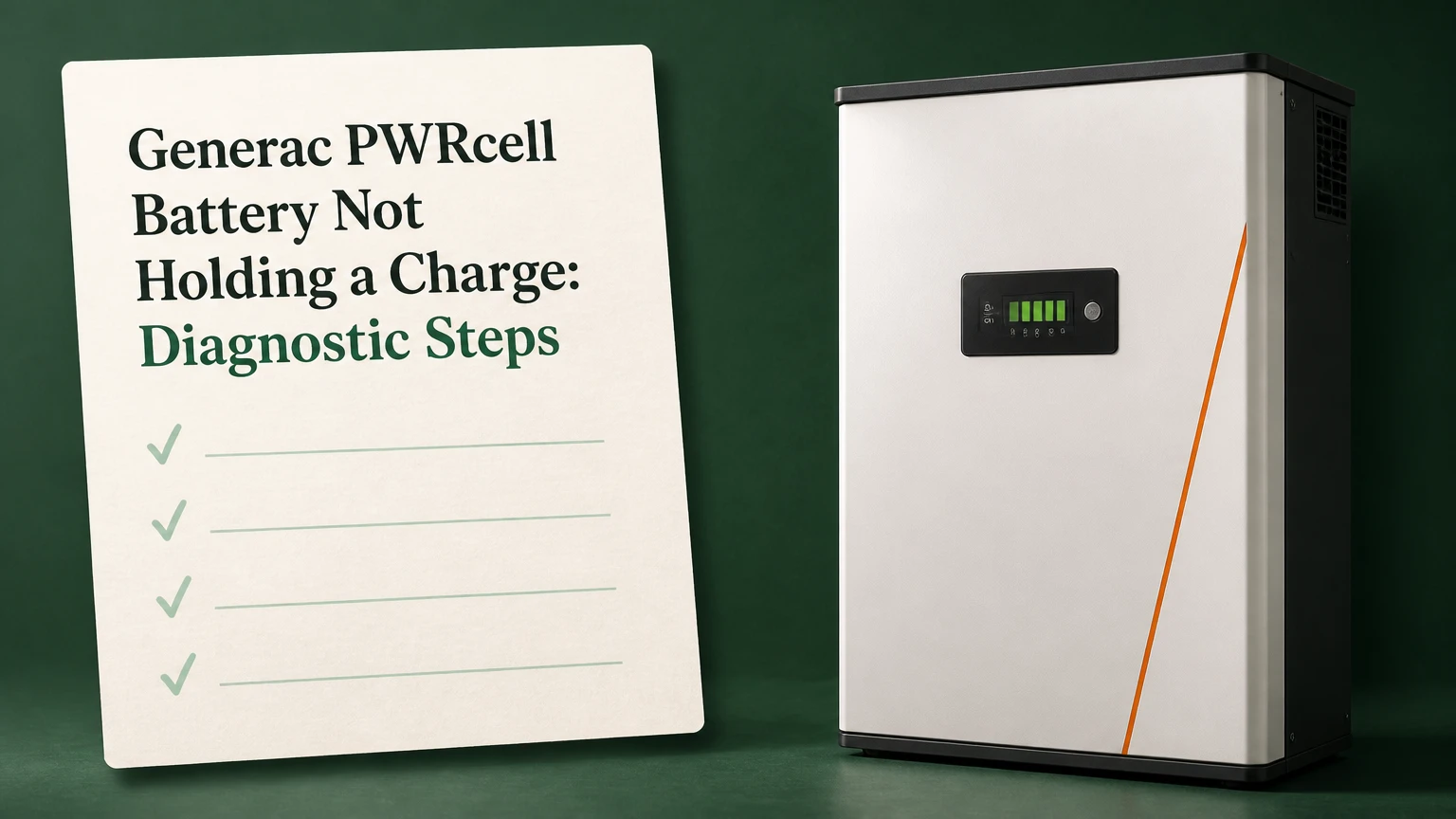
A Generac PWRcell battery that is not holding a charge usually has a configuration, communication, temperature, balancing, module, or inverter problem rather than a simple “low battery” condition. Check system telemetry, reserve settings, operating temperature, fault codes, and charging behavior first; never open the high-voltage cabinet unless you are qualified and authorized to do so.
Key Facts at a Glance
- A PWRcell State of Charge percentage is a BMS estimate, not a direct measurement of usable energy.
- A battery that falls rapidly from a high SoC can have cell imbalance, a weak module, inaccurate state estimation, or a large protected-load demand.
- A 100% reserve setting can prevent normal discharge while leaving the battery apparently full.
- PWRcell battery cabinets contain high-voltage DC equipment that can remain hazardous after disconnects are opened.
- PWRcell 9 and PWRcell 17 configurations differ in module count, energy capacity, and available discharge power.
- Error codes, event timestamps, and charge-discharge observations provide stronger warranty evidence than a single percentage reading.
What Does Not Holding a Charge Mean?
“Not holding a charge” describes several different PWRcell symptoms, and each symptom points to a different diagnostic path. A battery may lose SoC while idle, reach a low percentage soon after a load starts, stop charging before its expected level, or remain full because the inverter is not permitted to discharge it.
The distinction matters because displayed SoC and actual capacity are not identical. The Battery Management System estimates charge from voltage, current, temperature, and accumulated operating data. Cell balancing or a protective limit can temporarily change the percentage without proving that the entire battery has failed.
| Observed symptom | More likely area | First useful check | Escalation trigger |
|---|---|---|---|
| SoC drops 10-30% overnight | Standby load, temperature, estimation | Protected-load wattage and event log | Repeated loss with minimal load |
| SoC falls rapidly under load | Weak module, imbalance, high demand | Load size and low-voltage events | Module or BMS fault |
| Battery reaches 100% and stays there | Reserve setting, mode, relay, communication | Operating mode and reserve percentage | No discharge command in correct mode |
| Battery will not reach full | Solar production, charge limit, temperature, fault | PV output and charging status | Persistent charge fault |
| Backup fails during outage | Inverter, transfer equipment, load panel | Outage event and protected circuits | No backup after safe reset |
| SoC changes abruptly | BMS estimate or module mismatch | Timestamped event history | Repeated abrupt changes |
A PWRcell cabinet can also appear to lose charge when the protected-load panel is consuming energy continuously. Refrigerators, well pumps, networking equipment, sump pumps, and heat-pump controls can create an overnight demand that is easy to miss.
How Does a PWRcell Battery System Work?
Generac PWRcell uses a DC-coupled architecture in which solar energy can charge the battery through the PWRcell inverter without first being converted to household AC and then back to DC. The cabinet contains multiple lithium-ion modules, while the BMS monitors voltage, temperature, current, and protective limits for the battery assembly.
The inverter coordinates solar production, battery charging, grid interaction, and backup operation. Communication failures between the inverter and battery can therefore look like a capacity failure even when the cells retain energy. A battery that cannot report valid measurements may be restricted from charging or discharging for safety.
| System component | Function | Diagnostic clue | Owner-safe observation |
|---|---|---|---|
| Solar array | Produces DC energy | Low or zero charging input | Solar production in app or inverter |
| PWRcell inverter | Converts and controls energy | Charge or discharge command absent | Screen status and event codes |
| Battery modules | Store electrochemical energy | Weak module or imbalance | Cabinet model and module count |
| Battery Management System | Monitors cells and protection limits | BMS or module fault | Reported fault text |
| Communications wiring | Carries control and measurement data | Battery communication error | Installer inspection only |
| Protected-load panel | Receives backup power | Excessive standby consumption | Circuit inventory and load behavior |
PWRcell systems are not interchangeable with generic 48-volt batteries. Module generations, firmware, enclosure compatibility, and inverter requirements must match the installed design and Generac’s approved service procedures.
Which PWRcell Configuration Do You Have?
PWRcell 9 generally identifies a three-module configuration, while PWRcell 17 generally identifies a six-module configuration. Published system figures commonly list approximately 9.0 kWh gross and 8.6 kWh usable for PWRcell 9, and 18.0 kWh gross and 17.1 kWh usable for PWRcell 17, although the exact operating limit depends on model, firmware, temperature, and warranty conditions.
| Configuration | Nominal module count | Published gross energy | Published usable energy | Published continuous output |
|---|---|---|---|---|
| PWRcell 9 | 3 | 9.0 kWh | 8.6 kWh | 4.5 kW |
| PWRcell 17 | 6 | 18.0 kWh | 17.1 kWh | 9.0 kW |
| Single 3 kWh module | 1 | 3.0 kWh | System-dependent | System-dependent |
| Partially populated cabinet | 4-5 | Approximately 12-15 kWh | Configuration-dependent | Configuration-dependent |
The gross-to-usable difference is intentional. The BMS and inverter preserve operating limits rather than exposing every watt-hour to the household. A homeowner should compare repeated delivered energy against the installed system’s documented usable rating, not against the gross module total.
How Can You Diagnose the Problem Safely?
Use a six-step process that begins with data and ends with professional electrical testing. A homeowner can usually complete the first four steps in 20-40 minutes, while firmware work and module testing may require an installer visit; the most important success factor is recording the exact event code before resetting anything.
Before You Start
| Requirement | Typical value |
|---|---|
| Homeowner time | 20-40 minutes |
| Installer diagnostic time | 1-3 hours |
| Homeowner tools | Phone, flashlight, notebook, utility-bill or load information |
| Technician tools | Manufacturer portal, approved meter, insulation PPE, service documentation |
| DIY boundary | No cabinet opening, bus-bar access, or module removal |
| Evidence to save | Error code, SoC, voltage, timestamp, mode, temperature, load |
Do not remove battery covers, protective barriers, module connectors, or internal communication cables as a homeowner. Generac installation and safety documentation treats the battery and inverter as qualified-personnel equipment, and high-voltage DC can arc or remain dangerous after normal switching.
Step 1: Record Telemetry Before Changing Settings
Record the displayed SoC, battery voltage if shown, charge or discharge power, inverter operating mode, active warnings, and the time of each event. Capture photographs of the screen or app, but preserve the full error wording rather than recording only “battery fault.”
| Data point | Record an example like | Why it matters |
|---|---|---|
| State of Charge | 78% at 14:20 | Establishes the starting point |
| Battery power | Charging at 2.1 kW | Confirms an active energy flow |
| Operating mode | Priority Backup | Explains dispatch behavior |
| Reserve setting | 30% | Identifies a discharge floor |
| Error text | Battery Comm Error | Separates data faults from capacity faults |
| Grid state | Grid connected | Changes expected behavior |
You will know this step worked when the event, percentage, mode, and power direction are documented at the same time. The common mistake is resetting the inverter before saving the code, which can erase the clearest evidence for the installer or warranty claim.
Step 2: Check Reserve Capacity and Operating Mode
Open the authorized user interface and verify that the battery is not configured to reserve all or nearly all of its energy. A 100% reserve setting can make a healthy battery appear unable to discharge, while a high reserve percentage can reduce the energy available for routine self-consumption.
Check whether the system is in a backup-priority, clean-backup, self-supply, or other installer-defined mode. Names vary by firmware and configuration, so use the mode descriptions in the installed documentation rather than assuming that two similarly named modes behave identically.
You will know this step worked when a permitted load causes a visible discharge command above the reserve threshold. The mistake is lowering reserve capacity during an outage without understanding the protected-load consequence. A critical-load household should preserve its emergency reserve.
Step 3: Compare Battery Output With Actual Household Load
Turn on a known load, if the grid is available and the system permits normal battery dispatch. A 1,500-watt resistive heater, for example, should create a measurable change in household demand, but it may not force battery discharge if the inverter is in a mode that favors solar or grid power.
Record the load before and after the test. Also identify always-on circuits such as internet equipment, refrigeration, water pumps, security systems, and heating controls. A battery can lose 4-8 kWh overnight from ordinary household consumption, depending on the connected loads and operating duration; that is not self-discharge.
You will know this step worked when the observed energy loss corresponds reasonably with measured or estimated load. The mistake is judging battery health from a percentage drop without checking whether the protected-load panel consumed the missing energy.
Step 4: Check Temperature, Ventilation, and Visible Conditions
PWRcell battery performance can be limited by temperature sensors, excessive heat, restricted ventilation, moisture, or environmental conditions outside the equipment’s installation specifications. Inspect the exterior for water intrusion, physical damage, blocked airflow, unusual odor, corrosion, or signs of overheating without opening the enclosure.
Cold conditions can reduce available power and charging acceptance, while heat can trigger protective limits. A temperature-related restriction may clear after the equipment returns to its specified operating range, but repeated events require service because the sensor, enclosure location, or ventilation may be defective.
You will know this step worked when the battery operates normally after environmental conditions return to specification and no recurring temperature fault appears. The mistake is placing a heater, fan, or cover directly against the cabinet, which can create a new safety and airflow problem.
Step 5: Verify Software, Connectivity, and Configuration
Check whether the inverter and battery report current firmware through the approved Generac interface or installer portal. Firmware compatibility matters because the inverter and BMS exchange charge limits, measured values, protection states, and operating commands.
Internet connectivity is useful for remote monitoring and support, but loss of internet service does not automatically mean the cells cannot store energy. A disconnected system may still operate locally, while remote diagnostics, updates, notifications, and warranty documentation can become more difficult. Generac warranty terms and registration requirements vary by product and region, so confirm the installed warranty document rather than relying on a generic ten-year statement.
You will know this step worked when communication is restored, firmware status is documented, and the fault does not return after an authorized update. The mistake is installing an unapproved module or mixing generations to solve a software fault.
Step 6: Arrange Professional Module and Inverter Testing
A qualified PWRcell technician should perform internal voltage, insulation, connector, contactor, current, and module-level tests. Published descriptions often place individual module voltage near the mid-40-volt range, but a single reading cannot establish capacity, cell health, or safe serviceability.
Technicians should test the battery under appropriate charge or discharge conditions, compare module behavior, inspect communication connections, and verify the inverter’s command and protection states. A low module voltage can result from a failed cell group, an open connection, a measurement problem, or a state-of-charge mismatch.
You will know this step worked when the service report identifies the failed subsystem, records measurements with timestamps, and states whether repair or warranty replacement is recommended. The mistake is probing bus bars with a consumer multimeter or reseating internal cables without the manufacturer’s service procedure.
Which Error Codes Matter Most?
Battery communication errors indicate that the inverter cannot obtain reliable battery data, while low-module-voltage and BMS faults indicate a protective or measurement condition that may prevent normal operation. The exact code wording varies by PWRcell model and firmware, so the code history and service manual take priority over a generic internet list.
| Symptom or code family | Likely mechanism | Safe owner action | Technician action |
|---|---|---|---|
| Battery Comm Error | Data link, power, firmware, or BMS communication | Record code and restart only as documented | Check approved communication path |
| Module Volts Low | Low module, imbalance, connector, or measurement fault | Stop repeated resets | Test module and cell-group behavior |
| BMS Fault | Protection, sensor, balancing, or controller issue | Preserve event history | Retrieve BMS data and isolate cause |
| Battery unavailable | System lockout, mode, temperature, or inverter issue | Check mode and environment | Validate contactors and inverter status |
| Charge limited | Temperature, SoC, current, or protection limit | Check environment and solar input | Test sensors and charge commands |
| Discharge limited | Reserve, load, temperature, or fault state | Check reserve and operating mode | Test output authorization and contactors |
A code that disappears after a restart is not necessarily resolved. Intermittent communication and contactor faults often return under temperature change, vibration, or a charge-discharge transition.
Why Is the Battery Full but Not Discharging?
A PWRcell battery that reaches 100% but will not discharge is most often being held by reserve settings, operating mode, a protection state, a communication problem, or a failed switching component. A full display alone does not prove that the inverter has authorized discharge or that the protected loads are drawing from the battery.
Check the reserve percentage, grid status, scheduled behavior, protected-load demand, and active warnings. If the battery is above reserve, the grid is available, a suitable load is present, and the inverter still shows zero discharge, the installer should test the discharge command, contactors, current measurement, and BMS permission.
Do not repeatedly force discharge by changing several settings at once. Change one authorized setting, record the result, and restore the intended reserve policy after testing.
Why Does the SoC Drop Abruptly?
An abrupt SoC drop usually means the BMS recalculated available energy or detected a limiting module, although a large load step can produce a genuine voltage sag. The displayed percentage can change sharply when the system transitions from light load to heavy load, completes balancing, or encounters a cell-group voltage limit.
| Abrupt behavior | Plausible explanation | Discriminating evidence |
|---|---|---|
| 80% to 10% with little load | Estimate correction or weak module | Event timestamp and module data |
| 80% to 10% during motor start | Voltage sag under high current | Load-start correlation |
| 50% to 0% after outage begins | Reserve, backup limit, or protection | Outage event and protected loads |
| 100% to 70% after charging stops | Normal estimate adjustment | Charge termination reason |
| Repeated drops at the same SoC | Weak cell group or calibration issue | Reproducible threshold |
The practical test is repeatability. If the same SoC threshold triggers the same fault under modest load, module-level testing is more informative than another restart.
Can a Power Cycle Fix the PWRcell?
A documented shutdown and restart can clear a temporary controller or communication state, but it cannot repair a failed cell, damaged contactor, degraded module, or unsafe insulation condition. Use only the sequence and waiting period specified for the exact inverter and battery model in the owner or installer documentation.
A generalized service workflow may involve stopping the inverter, opening the applicable AC and DC disconnects, switching the battery disconnect as directed, waiting for the manufacturer-specified discharge period, and restoring power in the prescribed order. The commonly repeated five-minute interval is not a universal substitute for the installed manual.
Never restart a system that shows smoke, burning odor, melted plastic, water intrusion, visible arcing, severe overheating, or repeated high-voltage faults. Keep people away and contact the installer or emergency services when there is an immediate electrical hazard.
Does Internet Connectivity Affect Charging?
Internet loss usually affects monitoring, notifications, remote support, and update delivery more directly than the battery’s electrochemical ability to store energy. A PWRcell may continue local operation without an internet connection, but a connectivity fault can prevent timely diagnosis or leave firmware status unknown.
Check the router, inverter network status, and monitoring timestamps without treating internet restoration as proof of battery repair. If the battery has both a communication error and an offline monitoring condition, the installer should determine whether the failure is network-side or internal to the inverter-to-BMS link.
What Does Repair or Replacement Cost?
Typical field pricing is approximately $150-$250 per hour for specialized battery diagnostics, $2,000-$2,800 for a replacement 3 kWh module, and $11,000-$15,000 for a complete large-cabinet replacement including labor. These are planning ranges, not Generac price lists; travel, taxes, freight, permitting, model availability, and warranty status can change the invoice substantially.
| Service decision | Typical parts range | Typical labor range | Typical elapsed time |
|---|---|---|---|
| Remote diagnosis | $0-$250 | Included or 0.5-1 hour | Same day to 3 days |
| On-site diagnostic visit | $0-$500 | $150-$750 | 1-3 hours |
| One module replacement | $2,000-$2,800 | $300-$1,000 | 2-6 hours |
| Full cabinet replacement | $8,000-$13,000 | $2,000-$5,000 | 1-3 days |
Warranty review should come before paid replacement. Save the serial numbers, installation date, event history, photographs, firmware information, installer invoices, and evidence of internet connectivity when required by the applicable warranty terms.
A new module may not be the best answer for an older, heavily cycled cabinet. Mixing a newer module with substantially degraded modules can create balancing and compatibility problems, so the service provider should confirm approved parts, generation, firmware, and replacement procedure.
How Does PWRcell Compare With Other Storage?
PWRcell’s main architectural distinction is its close integration with Generac’s inverter and solar ecosystem, not a universal advantage over every competing battery. Tesla Powerwall, Enphase IQ Battery, and FranklinWH systems use different inverter, communications, expansion, monitoring, and backup architectures, so comparison should focus on the installed solar design and service availability.
| Criterion | Generac PWRcell | Tesla Powerwall | Enphase IQ Battery | FranklinWH aPower |
|---|---|---|---|---|
| Coupling approach | DC-coupled solar architecture | AC-coupled battery system | AC-coupled ecosystem options | AC-coupled whole-home system |
| Typical service dependency | Generac-certified installer | Tesla-certified service channel | Enphase installer network | FranklinWH installer network |
| Expansion method | Approved modules and cabinet limits | Additional Powerwalls | Additional IQ Batteries | Additional aPower units |
| Main diagnostic interface | Inverter, monitoring, installer tools | Tesla app and service tools | Enphase App and Installer Toolkit | FranklinWH app and installer tools |
| Key decision constraint | PWRcell inverter compatibility | Existing solar inverter compatibility | Enphase ecosystem compatibility | Whole-home transfer design |
| Best comparison question | Can the current PWRcell be repaired? | Is AC retrofitting practical? | Does the site already use Enphase? | Is whole-home backup required? |
The honest limitation is important: PWRcell is not a good DIY battery platform. High-voltage service, proprietary controls, approved module compatibility, and installer access make professional support part of the ownership equation.
What Changes During a Grid Outage?
During an outage, the PWRcell inverter must detect the grid loss, isolate the home from the utility, establish backup power, and supply only the circuits included in the protected-load design. A battery can show substantial SoC and still fail to power a particular appliance if that appliance is outside the protected panel or exceeds the inverter’s starting and continuous limits.
| Outage situation | Expected interpretation | Immediate check |
|---|---|---|
| Lights in protected panel remain on | Backup transition succeeded | Confirm battery discharge |
| Some outlets are dead | Circuit may be non-protected | Check panel schedule |
| Large motor fails to start | Surge exceeds configured capability | Test smaller loads |
| Battery remains at reserve | Backup reserve is being preserved | Check reserve policy |
| System shuts down quickly | Load, temperature, fault, or SoC issue | Record event and reduce loads |
| Solar produces but battery does not charge | Charge limit, mode, or fault | Record PV and battery power |
Do not connect portable generators or additional sources to protected circuits without a designed interconnection and transfer arrangement. Backfeeding can injure utility workers and damage equipment.
Common Diagnostic Mistakes
- Replacing every module first: A communication fault or reserve setting can mimic a failed battery. Obtain event data before authorizing a cabinet swap.
- Treating 100% SoC as a capacity test: Full percentage proves the BMS reached its reported upper limit, not that the system can deliver its advertised usable energy.
- Ignoring protected-load consumption: A well pump or heat pump can explain a rapid overnight decline.
- Mixing module generations: Approved compatibility, firmware, and balancing requirements matter more than physical fit.
- Resetting before documenting: Cleared faults are harder to reproduce and harder to support under warranty.
- Using internal voltage readings as a DIY test: High-voltage DC measurement carries shock, arc-flash, and equipment-damage risks.
- Assuming internet loss equals battery failure: Monitoring and energy storage are related functions, not identical functions.
A practical installer rule is to test the system at the symptom’s trigger point. If the fault appears only during high current, test under load. If the fault appears after sitting overnight, measure standby consumption and review overnight events.
When Should You Stop Troubleshooting?
Stop homeowner troubleshooting when the PWRcell shows repeated BMS or low-voltage faults, visible damage, water intrusion, abnormal heat, burning odor, smoke, arcing, unexplained breaker operation, or a complete loss of battery communication. These conditions can indicate hazards that a software reset cannot resolve.
Contact the original installer first, then Generac support or an authorized service provider if the installer is unavailable. Ask for a written diagnosis that identifies the code, measured condition, affected component, warranty status, parts compatibility, and expected repair time.
Frequently Asked Questions
How long should a PWRcell battery hold its charge overnight?
A PWRcell’s overnight SoC depends on protected-load energy use, inverter standby consumption, temperature, reserve settings, and battery condition. A small connected load can consume several kilowatt-hours overnight, while repeated percentage loss with minimal measured demand suggests an estimation, communication, or hardware issue.
Can a PWRcell battery be repaired instead of replaced?
A PWRcell may be repairable when the cause is configuration, firmware, communication, sensing, or a serviceable module. Generac-approved parts and procedures determine whether an individual module can be replaced. A technician should evaluate module compatibility and the condition of the remaining stack before recommending a full cabinet replacement.
Should I set reserve capacity to zero to test the battery?
Do not set reserve capacity to zero during an outage or when essential loads depend on backup power. A controlled test under grid-connected conditions may use an installer-approved reserve value, but the technician should define the test limits and restore the household’s intended emergency reserve afterward.
Does cold weather permanently damage PWRcell capacity?
Cold weather can temporarily restrict charging, discharging, or available power, but a temperature limitation does not automatically indicate permanent damage. Repeated cold-related faults can point to installation conditions, sensor problems, or enclosure exposure that require professional inspection.
How can I prove a PWRcell warranty fault?
Create a dated record containing the system serial numbers, installation date, SoC, battery power, operating mode, error code, firmware status, temperature, outage status, and protected-load demand. Include photographs and the technician’s module-level measurements, because a reproducible event history is more useful than a single low percentage.
Is a sudden SoC drop always a failed battery module?
No. A sudden SoC drop can result from a high starting load, BMS recalculation, reserve behavior, temperature restriction, communication loss, or a weak module. Repeated drops at the same threshold, especially with low-voltage or BMS events, justify qualified module and inverter testing.
The Bottom Line
Generac PWRcell Battery Not Holding a Charge problems should be diagnosed from evidence, not from the displayed SoC alone. Record telemetry and codes, check reserve and operating mode, compare battery output with real protected-load demand, inspect temperature and exterior conditions, verify software status, and use a qualified technician for internal testing. Warranty review should precede module or cabinet replacement.