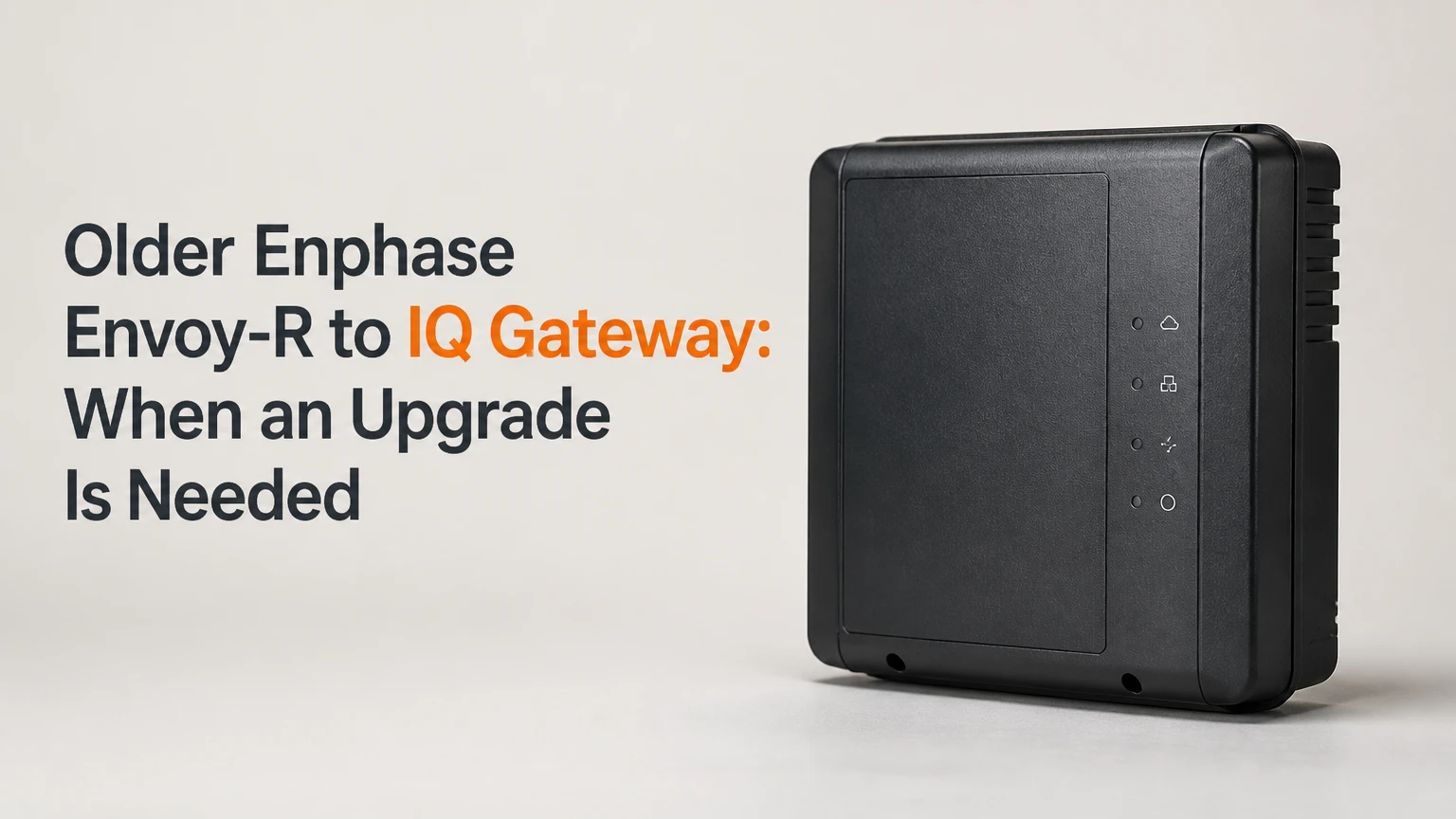
Upgrading an older Enphase Envoy-R to the IQ Gateway is necessary when the existing gateway cannot support planned IQ equipment, storage, current connectivity requirements, or reliable monitoring. A working Envoy-R can remain in service for a stable M-Series array with usable internet access and no expansion plan, so replacement is not automatically required because the LCD unit is old.
Key Facts at a Glance
- The Enphase Envoy-R communicates primarily with legacy Enphase microinverter generations, especially M-Series equipment.
- An IQ Gateway upgrade is usually required for an Enphase storage system built around IQ Batteries and an IQ System Controller.
- Replacing a gateway does not replace the roof-mounted microinverters, and it does not automatically increase solar production.
- A metered IQ Gateway adds physical production and consumption measurement through current transformers, subject to correct installation.
- Typical replacement work takes 30-60 minutes physically, followed by 15-30 minutes of provisioning and verification.
- A working Envoy-R is often the lowest-cost choice when the array is stable, internet access works, and no IQ expansion is planned.
What Does the Enphase Envoy-R Do?
The Enphase Envoy-R is the communications gateway between legacy Enphase microinverters and the Enlighten cloud platform. It collects inverter data through powerline communication, stores or forwards system information, and transmits production data through an available internet connection.
The Envoy-R does not convert DC electricity into AC power. Each rooftop microinverter performs that electrical conversion. The gateway handles communications, reporting, system discovery, and selected control functions. Enphase documentation describes the Envoy family as the communications link between microinverters and monitoring software.
Powerline communication, or PLC, sends data through the property’s energized electrical conductors. The gateway receives inverter reports, aggregates them by system, and uploads information using Ethernet, Wi-Fi, or a compatible cellular arrangement. A poor PLC path can therefore look like a failed microinverter even when the inverter is producing power.
The LCD display is useful for local status checks, but the screen does not determine whether the gateway remains technically compatible. A blank display can result from a power supply fault, failed hardware, or a display problem, while an active LCD does not prove that cloud communications are healthy.
When Is an Upgrade Necessary?
An Enphase Envoy-R upgrade becomes necessary when the gateway is incompatible with new equipment, no longer has a supported communications path, or cannot reliably complete its monitoring and provisioning duties. A homeowner should not replace a functional Envoy-R solely to obtain a newer enclosure or interface.
Four conditions normally justify replacement:
- Adding IQ Batteries or an IQ System Controller. Storage projects require an architecture that can coordinate modern Enphase energy equipment. The existing Envoy-R is not a substitute for the IQ Gateway used in current storage designs.
- Replacing legacy microinverters with IQ models. The installer must validate the exact mix of M-Series, S-Series, IQ6, IQ7, IQ8, and associated firmware. An older gateway may not discover or manage an IQ-series replacement array.
- Losing cellular service. A 3G modem or communications accessory can stop reporting after a carrier retires its network. The gateway itself may still work over Ethernet or Wi-Fi, so test those paths before purchasing hardware.
- Gateway failure. Repeated boot loops, an absent display combined with no local response, damaged power hardware, or a gateway that cannot be provisioned can make replacement more practical than repair.
When Should You Keep the Envoy-R?
Keep a working Enphase Envoy-R when the array contains compatible legacy microinverters, Enlighten reporting remains dependable, and the owner has no battery or inverter expansion scheduled. Retaining the gateway avoids hardware, electrical labor, commissioning, and data-mapping costs.
A stable M-Series system does not become unsafe merely because its gateway has an LCD. The stronger reason to upgrade is a change in system requirements. If a utility rebate, home sale, insurance review, or installer service agreement requires current communications hardware, that external requirement can change the decision.
Will the Envoy-R Work With IQ Microinverters?
The Enphase Envoy-R should not be assumed compatible with IQ7 or IQ8 microinverters. Compatibility depends on the gateway generation, microinverter family, PLC behavior, software, site configuration, and the intended operating mode, so an installer should confirm the exact equipment list before a partial replacement.
Older Enphase communication platforms use different PLC generations and operating assumptions. Enphase community documentation discusses differences among Envoy-R, Envoy-S, IQ Envoy, and IQ-series equipment. Frequency figures can help explain the engineering issue, but they are not a complete compatibility matrix.
| Existing or planned equipment | Envoy-R decision | More suitable direction | Verification needed |
|---|---|---|---|
| M215 or M250 array, no expansion | Often retain | Existing Envoy-R | Enlighten and PLC health |
| M-Series plus new IQ7 units | Do not assume compatibility | IQ Gateway configuration | Exact microinverter mix |
| IQ7-only expansion | Usually plan replacement | IQ Gateway or approved current gateway | Installer Toolkit discovery |
| IQ8 microinverters | Treat Envoy-R as unsuitable unless documented otherwise | IQ Gateway architecture | IQ8 model and firmware |
| IQ Battery system | Not an adequate storage gateway | IQ Gateway with approved equipment | System Controller design |
| Mixed legacy and IQ array | Site-specific | Current compatible gateway | Commissioning validation |
A phased roof replacement needs special care. Replacing one failed M-Series microinverter with an IQ model may create a communications mismatch even though the replacement inverter is electrically appropriate. The installer should check whether an approved like-for-like legacy replacement is available, or whether a gateway and several microinverters should be upgraded together.
Pre-Purchase Compatibility Checklist
Record the following before ordering equipment:
- Every microinverter model printed on the installation paperwork or visible in Enlighten.
- The Enphase Envoy-R serial number and current site ID.
- Whether the system has a production meter, consumption CTs, or neither.
- The electrical supply arrangement, including single-phase or three-phase service where relevant.
- Internet options at the gateway location, including Ethernet, Wi-Fi signal, and cellular availability.
- Planned batteries, generator integration, EV charging, or load-control equipment.
- Available wall space and breaker capacity for a combiner or outdoor enclosure.
An installer should also check regional product availability. Enphase product names, cellular options, metering configurations, and approval requirements can differ by country.
What Changes When You Add Storage?
Adding an IQ Battery changes the question from monitoring compatibility to energy-management compatibility. The gateway must participate in a coordinated system that can measure grid flow, communicate with storage equipment, and support the commissioning requirements of the IQ System Controller and related devices.
The Enphase IQ Battery is not simply another microinverter on the branch circuit. Backup operation involves islanding, load management, grid detection, and reconnection control. Those functions require approved system architecture rather than an older Envoy-R connected to the same internet router.
A battery project can also require additional equipment:
- IQ Gateway or a compatible metered gateway.
- IQ System Controller where backup or controlled grid isolation is required.
- Production and consumption measurement.
- A suitable backup-load panel or load-management design.
- Local electrical permits, utility approval, and commissioning.
An IQ Gateway may be installed before the battery project, but doing so can create duplicated labor if the installer later replaces the enclosure with an IQ Combiner. Coordinate the gateway decision with the storage design.
Which Gateway Should Replace an Envoy-R?
The correct replacement depends on whether the project needs only communications, consumption measurement, or a complete outdoor solar and storage enclosure. The least expensive gateway is not necessarily the least expensive project if a later battery installation requires rewiring.
| Gateway option | Typical use | Metering hardware | Storage suitability |
|---|---|---|---|
| Envoy-S Standard | Legacy monitoring restoration | No included production or consumption CT set in standard form | Not the normal choice for new IQ storage |
| IQ Gateway | Current IQ communications | Configuration-dependent | Suitable when matched to approved IQ architecture |
| IQ Gateway Metered | Production and consumption visibility | Production and consumption CT inputs or included CT kit | Appropriate for many storage and energy-management designs |
| IQ Combiner with IQ Gateway | Integrated outdoor installation | Metered configuration varies by model | Useful when breakers, enclosure, and gateway are needed together |
The product name alone is insufficient. Confirm whether CTs, breakers, cellular hardware, and enclosure components are included in the quoted package. Retail listings often separate the gateway, metering kit, communications accessory, and installation hardware.
Do You Need Production or Consumption CTs?
Consumption CTs are worthwhile when the homeowner needs real-time household demand, import and export visibility, battery control data, or load-shifting analysis. They are unnecessary for basic solar production reporting if the existing utility meter already provides the required billing information.
A production CT measures solar output at a designated conductor. Consumption CTs measure current flowing toward or away from household loads, depending on installation position and orientation. CT accuracy applies to the sensor and installation conditions, not to every estimate shown in the cloud.
| Monitoring objective | Hardware requirement | Typical result | Main limitation |
|---|---|---|---|
| Solar production only | Gateway with inverter PLC | Array output in Enlighten | No direct household-load measurement |
| Solar plus household use | Production and consumption CTs | Import, export, and demand views | Main-panel access required |
| Battery optimization | Metered gateway plus approved storage equipment | Coordinated energy-flow data | Commissioning must match system design |
| Utility-grade accounting | Approved revenue-grade meter arrangement | Higher measurement confidence | Local rules may specify equipment |
| Smart-home automation | Gateway data integration and local network | Conditional real-time values | API and update behavior can change |
A metered gateway does not automatically correct a poorly placed or reversed CT. The arrow markings, conductor selection, phase alignment, and configuration all affect the result.
What Does the Upgrade Cost?
A typical standalone IQ Gateway project costs about $400-$600 for hardware and $150-$400 for professional labor, producing a common total of roughly $550-$1,000 before unusual electrical work, permits, taxes, or enclosure changes. Enphase legacy upgrade promotions can reduce hardware pricing when the site meets program conditions.
| Cost component | Typical range | What changes the price | Usually included |
|---|---|---|---|
| Standard gateway hardware | $400-$500 | Model, region, seller | Gateway and basic mounting |
| Metered gateway package | $450-$600 | CT quantity and kit | Gateway plus specified CT hardware |
| Professional replacement labor | $150-$400 | Access, wiring, commissioning | Mounting, termination, setup |
| New outdoor combiner | $600-$1,200+ | Breakers and enclosure scope | Enclosure contents vary |
| Permit or inspection | $0-$250 | Jurisdiction and utility | Rarely included in retail pricing |
| Troubleshooting add-on | $100-$300 | PLC or network fault | Diagnostic visit or extra labor |
These are typical planning ranges, not a manufacturer quote. A simple plug-in replacement costs less than a metered installation inside a crowded service panel. A battery retrofit, conduit reroute, breaker addition, or service upgrade can move the project far beyond gateway pricing.
The Enphase Legacy Upgrade Program has its own eligibility and pricing rules, so check current official terms rather than relying on an old reseller listing.
How Is an Envoy-R Replaced?
A basic gateway replacement usually takes 30-60 minutes for physical work and another 15-30 minutes for network setup, site mapping, and verification. The highest-risk step is not wall mounting; it is preserving the correct site association and confirming that every microinverter communicates after commissioning.
Before You Start
| Preparation item | Typical requirement | Reason |
|---|---|---|
| Time | 1-2 hours total | Includes provisioning and checks |
| Tools | Screwdriver, drill, voltage tester | Mounting and safe verification |
| Records | Site ID and Envoy-R serial number | Supports replacement mapping |
| Electrical access | Gateway circuit and possibly main panel | Required for power and CT work |
| Network | Ethernet or 2.4 GHz Wi-Fi where supported | Cloud connection |
| Installer access | Enphase Installer App or installer support | Commissioning and replacement command |
Only a qualified person should open an electrical service panel or terminate line-voltage conductors. Turn off the correct circuit and follow local electrical procedures.
Step 1: Record the Existing Site
Open Enlighten and save the site ID, Envoy-R serial number, installer details, inverter list, and recent production date. Photograph the existing wiring and status screens without exposing account credentials.
You will know this step worked when the replacement gateway can be associated with the existing site rather than creating an unrelated monitoring profile. A common mistake is recording only the serial number and forgetting the site ID.
Step 2: Isolate the Envoy-R
Switch off the dedicated gateway breaker or unplug the Envoy-R where the installation uses a receptacle. If the array has separate AC disconnects, follow the installer’s shutdown sequence rather than opening equipment unnecessarily.
You will know the old unit is isolated when its status lights and display no longer operate. Do not leave the old Envoy-R powered elsewhere in the property, because two active PLC gateways can interfere with discovery and reporting.
Step 3: Mount and Wire the New Gateway
Mount the IQ Gateway in the approved location, connect line and neutral as specified, and install production or consumption CTs only when the selected model and design require them. CT arrows must follow the installation diagram, and each phase must match its configured input.
You will know the wiring is ready when the gateway powers without an electrical fault and the CT leads are secure. The common mistake is installing a consumption clamp around the wrong conductor, such as a single hot leg instead of the specified service arrangement.
Step 4: Connect the Internet
Use Ethernet where a reliable cable is available. Configure Wi-Fi only after confirming adequate signal strength at the gateway, and treat cellular as a model-specific option rather than assuming every IQ Gateway includes an active LTE connection.
You will know connectivity works when the local interface reports a network address and the gateway reaches Enphase services. A network connection alone does not prove that microinverter PLC communication is complete.
Step 5: Provision and Replace the Gateway
Use the Enphase Installer App or authorized installer workflow to replace the old gateway against the existing site. Enter the replacement serial number, allow the system to synchronize, and avoid creating a second site unless Enphase support specifically directs that action.
You will know provisioning worked when the new gateway appears under the original site and inverter devices begin reporting. A replacement can require firmware updates or cloud processing before the full historical view returns.
Step 6: Verify the Whole Array
Compare the inverter count, recent production, gateway status, CT direction, and Enlighten data with the pre-replacement record. Test daytime reporting if possible, because nighttime verification cannot confirm actual inverter production.
You will know commissioning is complete when all expected devices report, production is plausible, consumption direction is correct, and no communication alarms remain. Ask the installer for the new serial number, configuration record, and warranty documentation.
How Is Monitoring History Preserved?
Enphase monitoring history is normally preserved by mapping the replacement gateway to the existing Enlighten site, not by manually copying data from the LCD Envoy-R. The old gateway serial number, site ID, and installer-side replacement workflow help Enphase associate the new hardware with the established system.
Historical continuity is not always immediate. Cloud synchronization, device discovery, firmware state, and account permissions can delay the display of complete data. Save screenshots and export available reports before replacement if the data matters for a home sale, warranty claim, tax record, or performance dispute.
Do not delete the original site while troubleshooting. A new site may show future production but omit the historical context that the homeowner wanted to preserve.
What Problems Can Mimic a Dead Envoy-R?
A failed internet connection, tripped gateway breaker, weak Wi-Fi signal, PLC noise, outdated firmware, or an incorrectly configured site can imitate gateway hardware failure. Test power and communications before buying a replacement, unless the unit has visible electrical damage or a confirmed internal fault.
| Symptom | Likely cause | First check | Replacement indication |
|---|---|---|---|
| Blank LCD | Power supply or display fault | Breaker, outlet, status lights | Yes if no local response after safe power check |
| Gateway online, no inverter data | PLC path or array disconnect | AC disconnects and device count | Not necessarily |
| Enlighten offline, local gateway active | Internet failure | Ethernet, Wi-Fi, router | No |
| Production reports, consumption is negative | Reversed CT or phase mismatch | Arrow direction and conductor | No |
| Repeated boot cycle | Hardware or firmware fault | Power cycle and installer diagnostics | Often |
| 3G accessory stopped reporting | Carrier shutdown or modem failure | Ethernet or Wi-Fi test | Only if no viable connection |
| New gateway finds zero devices | Wrong provisioning or PLC issue | Site mapping and wiring | Not before diagnostics |
Powerline interference can come from some electronic loads, filters, or wiring layouts. An old Envoy-R left powered after installation of a new gateway can also create a misleading communications problem.
Expert Installation Rules
- Do not use a cellular shutdown as proof of gateway failure. Test Ethernet first. A communications path upgrade may solve the reporting problem without replacing the gateway.
- Do not infer CT correctness from one instantaneous reading. Compare the direction during solar production and household demand, then validate against the utility meter over a longer interval.
- Do not mix gateway replacement with inverter expansion casually. A gateway that reports the old array may still fail to commission the planned IQ devices.
- Do not judge success from the LCD or app alone. Confirm device count, production plausibility, and site association.
What Are the Main Alternatives?
The main alternatives are retaining the Envoy-R, replacing it with an Envoy-S where documented compatibility allows, installing an IQ Gateway, or selecting an IQ Combiner for a larger electrical redesign. The best option is determined by the inverter family and expansion plan, not by the gateway’s display style.
| Alternative | Upfront complexity | Best fit | Important limitation |
|---|---|---|---|
| Keep Envoy-R | Low, $0 if functional | Stable M-Series array | Aging hardware and limited future path |
| Repair network path | Low to moderate, $0-$300 | Offline but healthy gateway | Does not add IQ or storage capability |
| Envoy-S replacement | Moderate, $400-$800 typical | Documented legacy or mixed system | Compatibility must be confirmed |
| IQ Gateway replacement | Moderate, $550-$1,000 typical installed | IQ expansion and modern monitoring | May need CT or installer provisioning |
| IQ Combiner project | High, $600-$1,500+ typical gateway enclosure scope | New branch circuits or storage | More equipment and electrical work |
An Envoy-S is not automatically a universal bridge between every M-Series and IQ-series system. Product generation, firmware, region, and system design still matter. Obtain written compatibility confirmation from the installer when an array contains mixed generations.
Which Homeowners Should Upgrade Now?
Homeowners planning batteries, IQ7 or IQ8 expansion, or a major monitoring redesign should upgrade as part of that project. Owners with a stable legacy array and no expansion should generally defer replacement until failure or until a service requirement creates a clear benefit.
Battery Buyer
Choose the IQ Gateway or an IQ Combiner selected within the storage design. Coordinating gateway, metering, System Controller, backup loads, permits, and commissioning in one project usually avoids paying twice for labor.
Connectivity-Constrained Owner
Replace the Envoy-R when 3G is the only viable connection and Ethernet or supported Wi-Fi cannot solve the problem. If the existing gateway works over a wired network, replacement may offer little immediate value.
Monitoring-Focused Owner
Choose a metered IQ Gateway when consumption data will guide battery operation, load shifting, or solar self-consumption. Do not buy metering solely for a more attractive graph if the main panel cannot accept CTs cleanly.
Budget-Conscious Owner
Keep the Envoy-R if it reports accurately and the array remains unchanged. Set aside replacement funds because an old gateway may fail before the microinverters do.
Home Seller
Upgrade only when current monitoring documentation or buyer due diligence justifies the cost. Preserve the site ID, production history, inverter list, and gateway records either way.
The Bottom Line
Upgrading an Older Enphase Envoy-R to the IQ Gateway is necessary for most new Enphase storage projects, many IQ7 and IQ8 expansions, unsupported cellular situations, and confirmed gateway failures. A functioning Envoy-R remains reasonable for an unchanged legacy M-Series array with reliable internet and no battery plan.
The practical decision is simple: identify the microinverter family, document the existing site, test the current network path, and match the replacement gateway to the next planned electrical change. The right answer to “Upgrading an Older Enphase Envoy-R (LCD) to the IQ Gateway: When Is It Necessary?” is therefore based on compatibility and project intent, not age alone.
Frequently Asked Questions
Can an Envoy-R still monitor an old solar system?
Yes, an Enphase Envoy-R can continue monitoring a compatible legacy array when the gateway powers correctly, communicates with the microinverters, and reaches Enlighten through Ethernet, Wi-Fi, or a working communications accessory. A stable M-Series system with no expansion does not require replacement merely because the gateway has an LCD.
Does replacing the gateway improve solar production?
No. Gateway replacement changes communications, monitoring, and possible energy-management capability; it does not increase the electrical output of rooftop microinverters. Higher reported production after replacement may result from restored data, corrected configuration, or a previously missing reporting interval rather than new generation.
Can a homeowner install an IQ Gateway without an electrician?
A homeowner may be able to handle low-voltage networking and app setup, but line-voltage termination, service-panel CT installation, breakers, conduit, and permits require qualified electrical work under local rules. Enphase installer provisioning may also be needed, particularly when preserving the existing Enlighten site.
Will a gateway replacement erase Enlighten data?
A correctly executed replacement normally keeps the historical data associated with the original Enlighten site. The installer must map the new gateway to the existing site using the old serial number and site ID. Creating a separate site can make the replacement appear to have lost history even when the original record still exists.
Why does consumption monitoring show negative values?
Negative consumption values usually indicate reversed CT orientation, incorrect phase association, or a configuration mismatch. Check the arrows, conductor placement, and phase mapping against the installation diagram, then compare readings during both solar production and household demand before requesting a gateway replacement.
Is an IQ Combiner always better than an IQ Gateway?
No. An IQ Combiner is useful when the project needs an integrated enclosure, breakers, or a more substantial solar and storage electrical redesign. A standalone IQ Gateway is usually simpler for a communications replacement. The combiner can cost more and may require additional electrical work that a basic gateway swap does not.