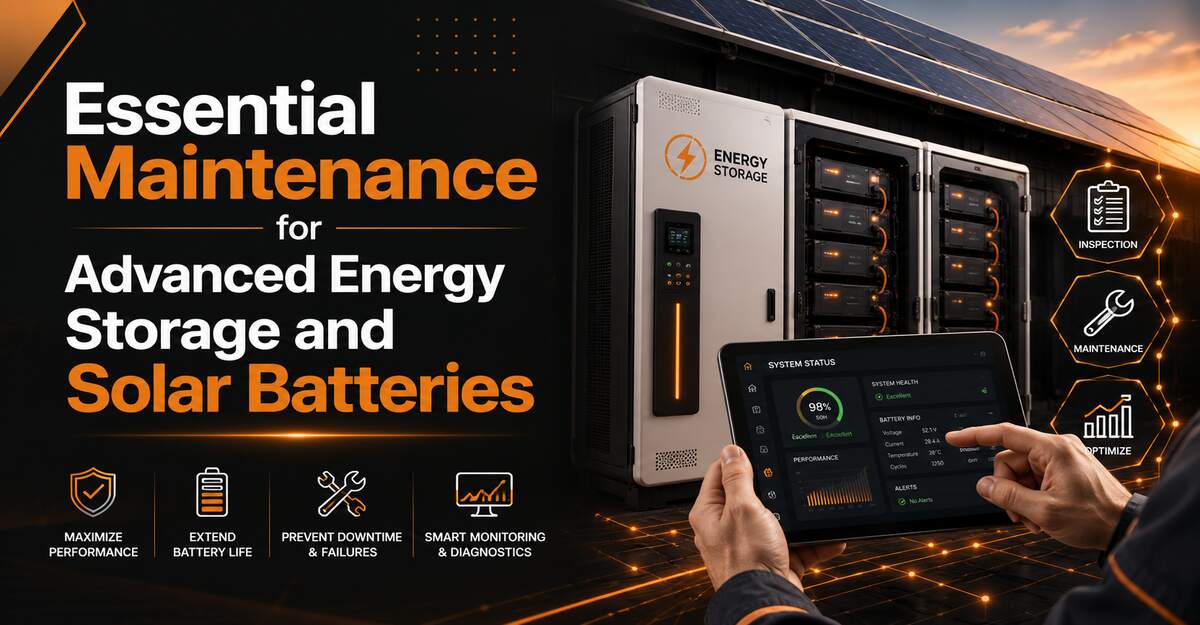
Essential maintenance for advanced energy storage and solar batteries involves routine visual inspections, digital health audits, firmware updates, and environmental temperature control. Proper upkeep prevents premature cell degradation, ensures safety protocols function correctly, and extends system lifespan across lithium-ion, lead-acid, and flow battery architectures.
Key Facts / At a Glance
- Optimal ambient operating temperatures range strictly between 15°C and 30°C (59°F to 86°F).
- Lithium-ion batteries require a maximum Depth of Discharge (DoD) of 80 percent, while lead-acid systems degrade rapidly if discharged below 50 percent.
- System owners should allocate approximately one percent of their total installation cost for annual maintenance budgets.
- Professional residential inspections typically cost between $250 and $400, while comprehensive annual packages range from $395 to $800.
- Modern lithium systems rely heavily on Battery Management System (BMS) software updates rather than the fluid replacements required by older chemistries.
What Are the Core Maintenance Processes?
Core maintenance processes for modern energy storage systems focus primarily on digital system health, thermal management, and terminal integrity. While lithium-based systems are marketed as low-maintenance, neglecting these foundational steps invites premature failure and voids manufacturer warranties.
Step 1: Perform Monthly Visual Checks
Monthly visual checks serve as the first line of defense against catastrophic hardware failure. System owners must inspect the physical battery casing for rare but dangerous signs of swelling, hairline cracking, or chemical leakage.
Start by examining the exterior of the battery modules and the inverter cabinet. Ensure that all cooling vents remain completely unobstructed. Clear any dust, cobwebs, or debris from the surrounding 36 inches to maintain optimal airflow. Verify that no flammable materials have been stored near the installation site. For outdoor installations, inspect weather seals for signs of water ingress or pest damage.
You will know the inspection is successful when the equipment exterior is clean and all LED status indicators show normal operation. A common mistake during this step is ignoring minor chassis discoloration, which often indicates dangerous internal heat buildup.
Step 2: Conduct Digital Health Audits
Digital health audits involve analyzing the telemetry data provided by your Battery Management System to track long-term degradation. Users must review this data monthly or quarterly through their monitoring application.
Log into your system application and locate the State of Health (SoH) and Depth of Discharge (DoD) metrics. The SoH indicates the current maximum capacity compared to the original factory capacity. Look for unexplained, sudden drops in storage capacity or recurring error codes in the system log. A healthy lithium-ion system typically loses only one to two percent of its SoH per year. If your app shows a steeper decline, the system may be experiencing cell imbalance.
Step 3: Clean Terminals Bi-Annually
Bi-annual terminal cleaning prevents electrical resistance buildup that can throttle system efficiency and cause dangerous overheating. Always wear safety glasses and thick rubber gloves before touching any battery infrastructure.
For lithium-ion and closed Battery Energy Storage Systems (BESS), use a clean, dry microfiber cloth to wipe down the exterior enclosures and exposed heat sinks. Do not use chemical solvents. For flooded lead-acid systems, inspect the terminals for white or blue crystalline corrosion. Mix one tablespoon of baking soda with one cup of distilled water, apply it to the corroded terminals with a stiff bristle brush, and wipe clean. Afterward, verify that all terminal bolts are tightened to the manufacturer specifications, which typically range from 7 to 10 Newton-meters (Nm). Using insulated torque wrenches is mandatory to prevent accidental short circuits.
Step 4: Execute Firmware Updates
Firmware updates optimize the charging algorithms within the BMS and patch critical security vulnerabilities. System owners should apply these updates immediately upon notification from the manufacturer.
Check your inverter and battery application for pending software patches. Initiate the update during daytime hours when your solar panels are actively generating power and household demand is low. Avoid updating during severe weather or grid outages, as a power loss during a firmware flash can brick the inverter motherboard. A successful update will conclude with the system automatically rebooting and returning to a standard operating state within fifteen minutes.
Step 5: Schedule Annual Pro Service
Annual professional service guarantees that the high-voltage components operating behind sealed covers remain safe and functional. Certified technicians possess the specialized diagnostic equipment required for deep system analysis.
During an annual visit, a technician will perform a full load-bank test to verify the actual capacity against the digital SoH readout. The professional will also use a Forward Looking Infrared (FLIR) thermal imaging camera to scan electrical panels, combiner boxes, and battery terminals under heavy load. Thermal imaging reveals hidden electrical resistance and loose connections long before they cause system failures or fires. Expect to pay between $250 and $400 for a standard residential visit.
How Do Different Chemistries Compare?
Selecting the right maintenance routine depends entirely on the underlying chemical architecture of your energy storage system. Lithium-ion iron phosphate (LFP) dominates the modern residential market due to its low physical upkeep, while legacy lead-acid requires constant hands-on chemical management.
| Chemistry Type | Maintenance Level | Key Performance Metrics | Life Expectancy | Specific Upkeep Requirement |
| Lithium-ion (LFP) | Very Low | SoC, SoH, Temperature | 10 to 15 years (3,000 to 10,000 cycles) | Digital firmware updates and thermal monitoring. |
| Lead-Acid (Flooded) | High | Electrolyte levels, Specific Gravity | 3 to 7 years (500 to 2,000 cycles) | Monthly distilled water refills and equalizing charges. |
| Gel / Sealed Lead | Low | Voltage, Terminal integrity | 5 to 10 years (approx. 1,000 cycles) | Strict voltage regulation to prevent internal drying. |
| Flow Batteries | Moderate | Pump health, Fluid pH | 15 to 20+ years (unlimited cycling) | Mechanical inspection of pumps and electrolyte flow lines. |
Which Should You Choose?
For Residential Urban Homes: Prioritize Lithium-ion (LFP) systems. They offer near-zero physical maintenance, fit in compact spaces, and provide the highest safety ratings against thermal runaway.
For Off-Grid Remote Cabins: Flooded Lead-Acid remains a viable, cost-effective option if you have the dedicated space and time to manage electrolyte levels. However, LFP is rapidly replacing lead-acid even in off-grid scenarios due to its superior lifecycle.
For Large Commercial Facilities: Flow batteries or heavy-duty LFP banks are mandatory. Flow batteries offer unlimited cycling for heavy daily arbitrage, while LFP provides massive burst power for peak shaving.
What Are Common Troubleshooting Issues?
Troubleshooting advanced energy storage systems requires distinguishing between temporary software glitches and permanent hardware degradation. Most modern systems will isolate a fault and send a specific error code to the user interface.
Fixing Overheating and Airflow Alerts
Overheating alerts trigger when the internal battery cells exceed 40°C (104°F), prompting the BMS to throttle charging speeds or shut down entirely. This is most often caused by poor ventilation, heavy dust accumulation on the inverter heat sinks, or extreme summer ambient temperatures.
To resolve this, immediately reduce the household electrical load by turning off heavy appliances. Inspect the physical unit and use a vacuum with a brush attachment to clear the cooling fins and air intakes. If the system is installed in a sunlit garage, you may need to install active exhaust fans in the room to maintain the required 15°C to 30°C operating window.
Addressing Rapid Capacity Drops
A rapid drop in storage capacity indicates either severe cell imbalance or a battery pack reaching its end-of-life threshold. Users will notice the battery draining to zero much faster than it did in previous months.
Consult your monitoring software to review the State of Health. If the system is relatively new, a capacity drop usually points to a cell balancing issue. You can often fix this by allowing the battery to charge to exactly 100 percent and leaving it there for several hours without drawing power, which allows the BMS to balance the voltage across all individual cells. If the SoH reads below 70 percent, the capacity drop is a permanent physical degradation.
Resolving Connection and Inverter Faults
Connection faults occur when the inverter loses communication with the battery modules or the broader electrical grid. You will typically see a flashing red fault light on the hardware and a “Comms Error” in the app.
First, check all visible communication cables (usually standard CAT5 or CAT6 ethernet cables) connecting the battery modules to the inverter for frays or loose connections. Unplug them and plug them back in until they click.
If the wiring is secure, perform a full system power cycle. Turn off the solar disconnect, shut down the battery via its physical breaker, and wait exactly five minutes before powering the system back on in reverse order. This clears minor software hangs in the communication bus.
Expert Recommendations by User Type
Energy storage maintenance strategies must be tailored to the specific demands placed on the system. A grid-tied suburban setup experiences drastically different wear patterns than a remote, off-grid microgrid.
Best Practices for Homeowners
Homeowners with grid-tied backup systems should prioritize a “set it and forget it” approach governed by strict digital monitoring. Rely on lithium iron phosphate chemistry and configure your app alerts to push notifications directly to your phone.
Expert Insight: Homeowners often mistakenly leave their batteries at 100 percent charge constantly while waiting for a grid outage. Storing lithium batteries at maximum voltage accelerates degradation. Configure your system to cycle between 20 percent and 80 percent daily to maximize the lifespan, keeping a 20 percent reserve strictly for grid failures.
Off-Grid Installation Strategies
Off-grid users rely entirely on their solar arrays and batteries, making preventative maintenance a matter of household survival. These systems require a high-quality Maximum Power Point Tracking (MPPT) charge controller to manage highly variable weather conditions safely.
Because off-grid batteries cycle deeply every single day, wear and tear accelerates. Off-grid users must perform physical terminal checks quarterly rather than bi-annually. Furthermore, off-grid users must calibrate their charge controllers seasonally, lowering absorption voltages slightly in the summer and raising them in the winter to compensate for temperature fluctuations.
Commercial Energy Storage Systems
Commercial and industrial users operate massive Battery Energy Storage Systems (BESS) that present significant fire and compliance risks if neglected.
Facility managers must implement a strict compliance checklist modeled after NFPA 855 fire safety standards. This includes mandatory quarterly infrared thermography to detect micro-arcing in the massive DC busbars. Additionally, commercial systems feature active liquid cooling or HVAC systems integrated into the battery containers. Maintaining these cooling systems via filter changes and coolant flushes is just as critical as monitoring the battery cells themselves.
What Are the Top Maintenance Mistakes?
Even with advanced software protections, user error remains a leading cause of premature battery failure. Avoiding these pitfalls will save thousands of dollars in replacement costs.
Mismatched Charging Parameters
Using outdated or incorrect charge controller settings is a fatal error, particularly when upgrading from lead-acid to lithium. Applying a high-voltage lead-acid equalization charge to a lithium-ion battery will destroy the cells and potentially trigger thermal runaway. Always verify that the inverter profile matches the exact chemistry of the connected battery bank.
Installing in Direct Sunlight
Heat is the ultimate killer of chemical energy storage. Installing battery cabinets on the south-facing exterior wall of a house subjects them to brutal temperature swings. Continuous exposure to temperatures above 30°C (86°F) can cut a battery’s total lifespan in half. Always install systems in shaded, climate-controlled environments like a basement or an insulated garage.
Expert Insight: Many DIY installers focus heavily on winter cold, but extreme heat degrades lithium permanently. Cold weather temporarily reduces capacity, but heat causes irreversible chemical breakdown inside the cells. If forced to install outdoors, building a simple shade awning over the equipment yields massive long-term dividends.
Essential Maintenance for Advanced Energy Storage and Solar Batteries
This section ensures exact keyword alignment for structural clarity. Maintaining your advanced setup guarantees a return on your renewable energy investment. By adhering to the visual, digital, and professional schedules outlined above, your essential maintenance for advanced energy storage and solar batteries will be entirely streamlined.
Frequently Asked Questions
How often should I check the app?
You should check your solar battery monitoring application at least once a month. Look specifically for the State of Charge, overall system State of Health, and any historical error codes. Weekly checks are recommended during extreme weather seasons to ensure the system is handling temperature fluctuations appropriately.
Can I clean terminals with water?
You must never use water to clean lithium-ion battery terminals or modern sealed inverters, as it risks short circuits. Use a dry microfiber cloth. For older, flooded lead-acid systems only, you can clean heavy corrosion using a targeted mixture of baking soda and distilled water applied with a brush.
Does cold weather damage the system?
Extreme cold temporarily reduces the available capacity and slows the charging acceptance rate of lithium batteries, but it rarely causes permanent damage. However, attempting to charge a frozen lithium battery below 0°C (32°F) can cause permanent lithium plating. Most modern units have internal heating pads to prevent this.
What if a lithium unit hits zero?
If a lithium-ion battery reaches zero percent, the internal Battery Management System will normally shut down the output to prevent irreversible cell damage. You must recharge the system immediately using solar or grid power. Leaving a lithium battery at zero percent for several days can permanently kill the cells.
When does the system need replacing?
You should replace your solar battery when its State of Health permanently drops below 70 percent of its original factory capacity. At this stage, the battery will drain too quickly to support household loads through the night, and the internal resistance will cause the system to operate highly inefficiently.